
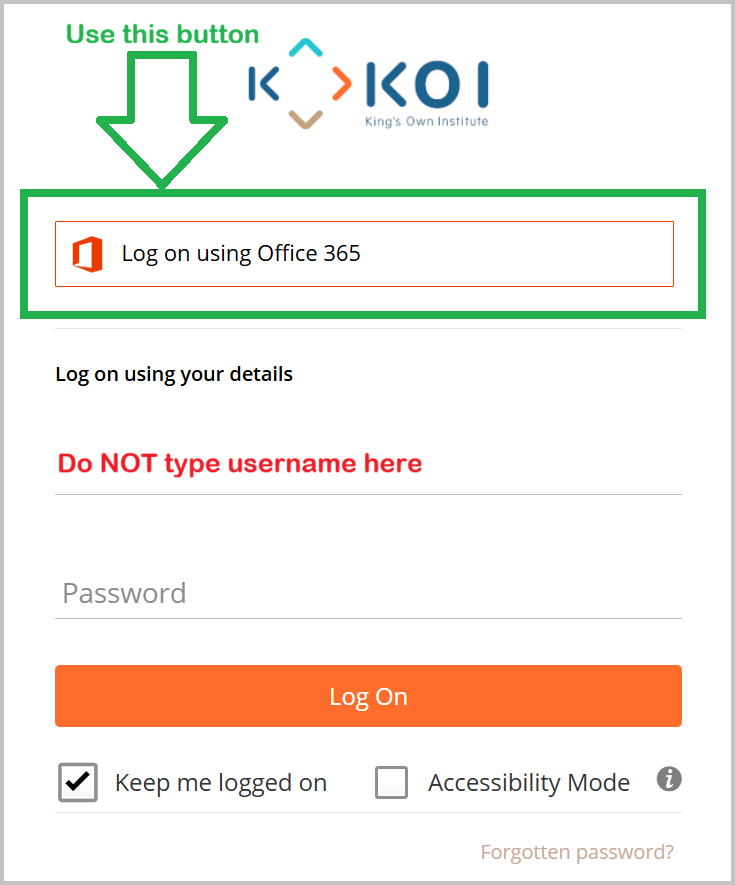
How to access KOI Student Portal
Visit KOI student portal (https://koi.edu.au/studentportal)

How to reset KOI Student Account Password
- Visit the Microsoft Self Service Password Reset (SSPR) Portal
- Enter your student email and follow the prompts
Passwords must meet the following criteria:
- Minimum password length is 10 characters
- At least one uppercase letter
- At least one lowercase letter
- At least one Non-alphanumeric characters (special characters)
- At lease one digit (0 through 9)
- Do not include any personal details (First name or Surname)
Please send an email to [itsupport@koi.edu.au] with your student email, if there are any issues or questions.


