
KOI Students are eligible for Office 365 Education, which includes Word, Excel, PowerPoint, and OneNote for free
!! Important !!
- Before start, please uninstall trial or pre-installed MS office software provided from the PC manufacturers.
- MS Access/Publisher are not available on MS Office 365 for MAC.
- You can run Windows OS on MAC using Apple Boot Camp(free), VMware Fusion(paid) or Parallels Desktop(paid).
- You also need a genuine Windows 10 license for your MAC as well.
Sign in Office 365 account for the first time
1. HOW TO SIGN IN MICROSOFT 365?
- Go to https://www.office.com

- Enter KOI student email and click “Next”

- Enter Microsoft account password (Same as KOI computer access password) and click “Sign in”
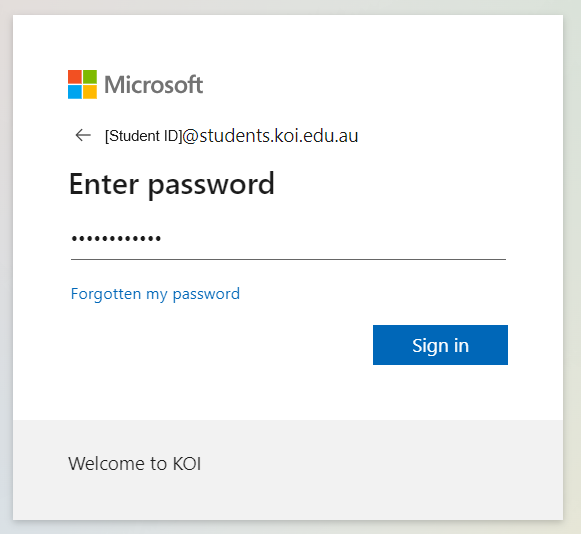
After you finish set up your MS Authenticator, you can start to use Microsoft 365 apps online.

If you have not registered MS Authenticator yet, please refer to “How to setup MS Authenticator app?” on the IT support FAQ page
2. HOW TO INSTALL MICROSOFT 365?
- Click “Install and more”

- Click “Install Microsoft 365 apps”

For more information about office 365, Please refer to the page:
https://www.microsoft.com/en-gb/education/products/microsoft-365
3. HOW TO RESET THE PASSWORD OF MICROSOFT 365?
!!The Office 365 account password is shared with the KOI Campus PC/WiFi Login password.
This means if you changed the password, your KOI Campus PC/WiFi login password will be changed as well.
For more detailed information, please check “How to reset the password of KOI computer access/ WiFi / Print / Ezproxy?” on the IT support FAQ page.


