
Campus Computers
Available Computers for Students
Student PCs are available on Quiet room and Print Bay/Student Lounge in York Street.
Students need to sign in with their own KOI PC/Wifi account which is the same as your student ID number (10-digit number).
Installed Software
Student PCs at York street campus have applications for your study such as Microsoft office 365, MYOB Accountright and Mikes Bikes (Business Project).


Campus Printers
About Printing Service
Printing is a free service offered for the KOI students who made full payment.
$9 of free credit will be recharged every week(resets on every Monday).
What if my credit is exhausted or too low for printing?
If you printed or photocopied more than your free balance, you can purchase Printing voucher from the Library. Purchased printing credit will net be expired and free credit will be used first.
How Can I print from KOI student PC?
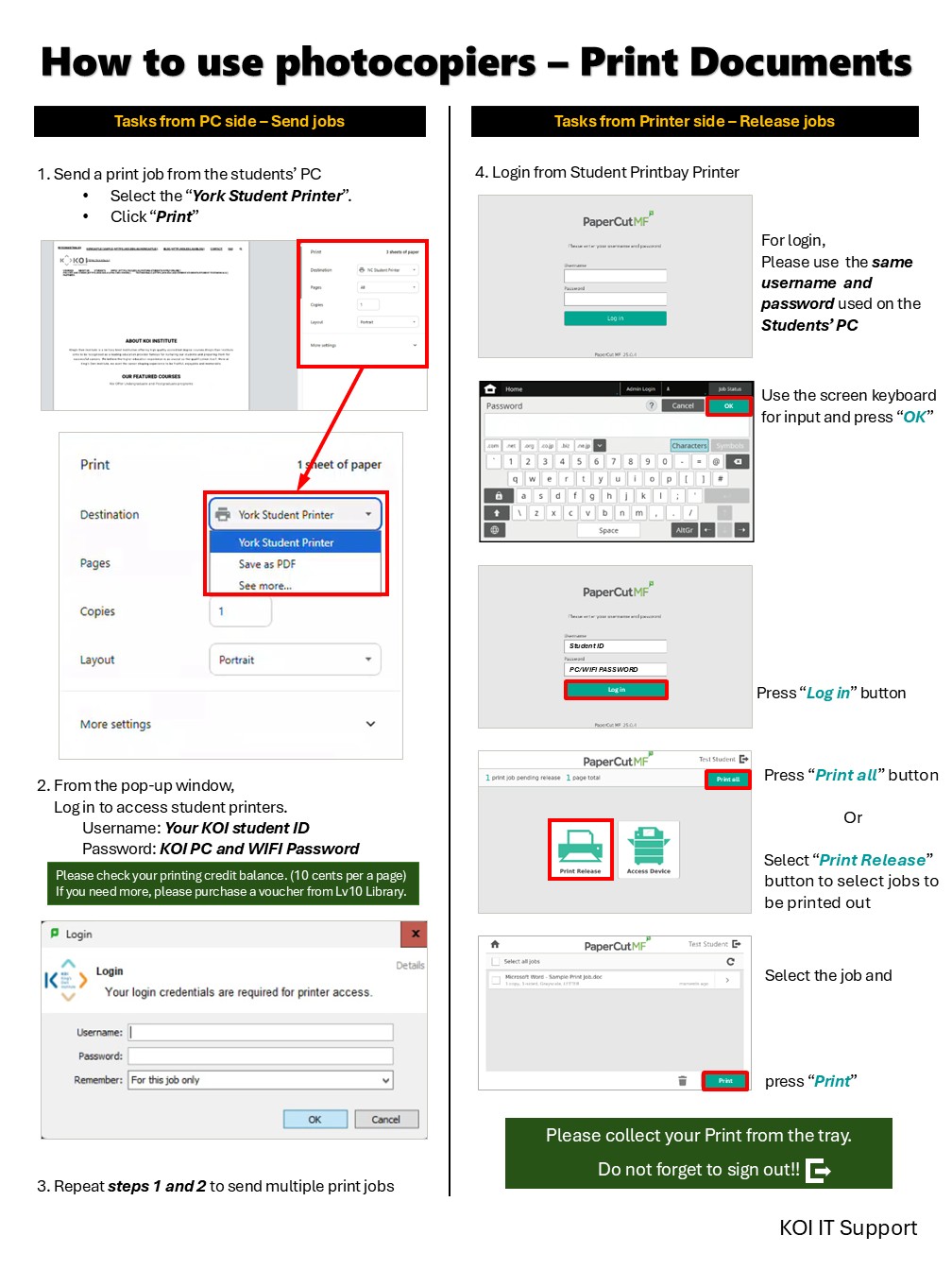
You can print documents only from reserved Printbay PCs and Library PCs on each Campus(York/Newcastle).
When you print documents, our print server will hold your job until it is finally released. In order to finish your printing job, you need to go to the printer. Once you log in and push print button, print, your documents will be printed at the printer. Your printing job on the server will be held for an hour until you print out, and can be printed out from any Student Printer(L7/L8/L9/L10 of York or GF Student Lounge of Newcastle).
** When I try to print, there is a message saying “Denied Printing” **
Printing service is only offered to the students Currently enrolled.

Campus WiFi
How do I connect to KOI student WiFi?
When you are in campus, please find “KOI_STUDENT_WiFi” SSID(Name).
To connect to this network, please follow the instructions below.


